
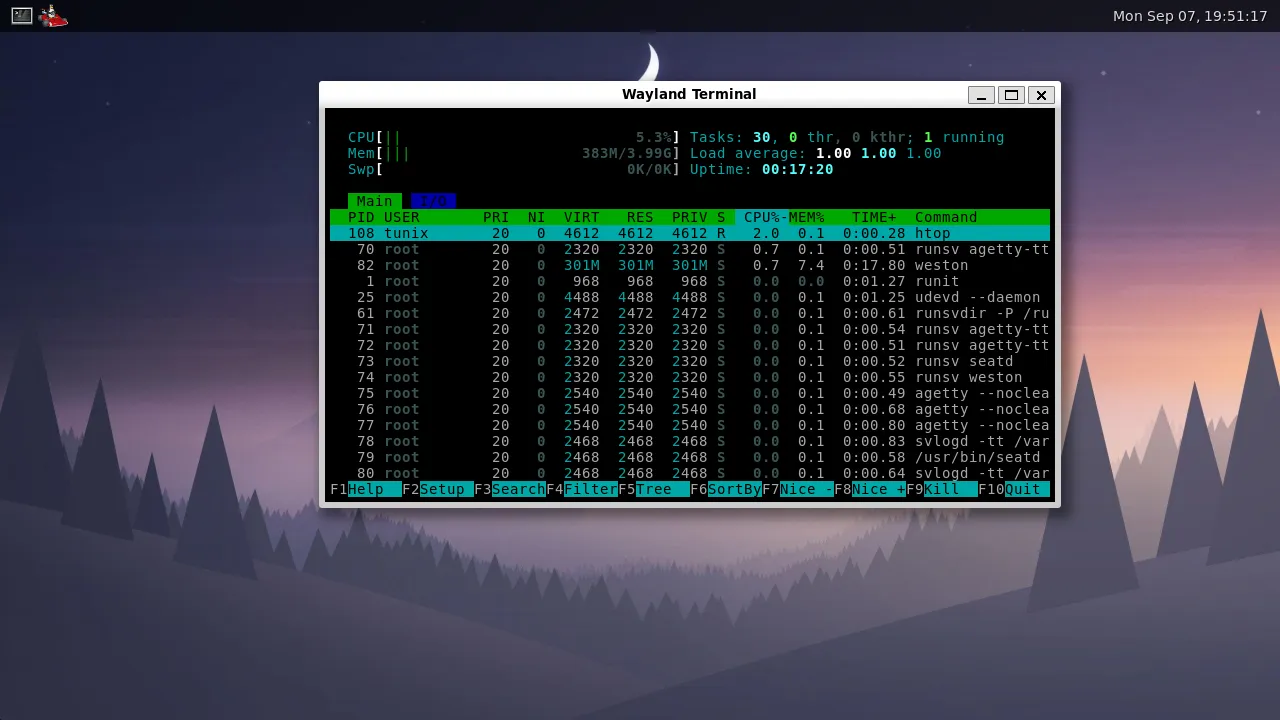
Tunix is a kernel for x86_64, booted by Limine, and nothing else. Everything above it is Void Linux: Void's own glibc packages, installed by Void's own package manager, running on Void's own init. None of it is built or patched for Tunix.
That is the whole point. When a Void binary does not work, the kernel is wrong. A userland built to suit the kernel would hide those bugs, and an unmodified one finds them for me.
It used to be different
The first version of Tunix carried its own userland: about 130 ports, each one a build script driving somebody else's source against a musl cross toolchain. It took hours to build and was always one autotools change away from breaking. What came out was a Linux distribution, done badly and only for this project. Void already is one, so the ports went.
The switch paid off on day one. glibc hands the kernel a 36 byte
struct termios and converts it; musl passes its own 60 byte one straight
through. The kernel had been writing 60 bytes all along and musl's layout hid
it. Under glibc every program that called isatty(), which is every program
that writes to a terminal, died with stack smashing detected before printing
anything.
The kernel
A monolithic kernel with virtual memory and copy on write fork, preemptive
scheduling on every processor the firmware describes, ELF loading with a
dynamic linker, signals, and a Linux compatible system call table.
- Storage: a block layer over IDE, AHCI, NVMe and USB storage, GPT and MBR partitions, and a read write ext3 root whose journal the kernel writes and replays.
- Networking: IPv4 with both ends of TCP over RTL8139, and
dhcpcdconfiguringeth0throughAF_PACKET. - Display: a virtio-gpu driver that scans out where the image already
lives, and
make run-virglrenders through the host GPU with virgl. - Everything else: Intel HD Audio behind ALSA, xHCI keyboard and mouse, a framebuffer console with eight virtual terminals on Ctrl+Alt+F1 to F8, and real users with permissions and setuid.
Drivers can be loadable modules. The sound and RTL8139 drivers are .ko
files that udev loads from the device's own modalias, so lsmod, modprobe
and lspci -k answer what they answer on Linux.
Above the kernel
runit is PID 1, with udevd and agetty underneath it. The image has Void's bash,
coreutils, sudo, curl and htop, and boots into Weston as the tunix user, with
seatd handing it the display and Firefox one click away on the panel.
Getting Weston up was mostly about udev. libudev finds devices by walking
/sys and reading what udevd wrote about each one, so the kernel had to
publish its devices in sysfs, broadcast them over NETLINK_KOBJECT_UEVENT,
attach credentials udev would trust, and deliver the unicast messages udevd
sends its own workers. Miss any of those and libinput quietly skips a device
that works fine.
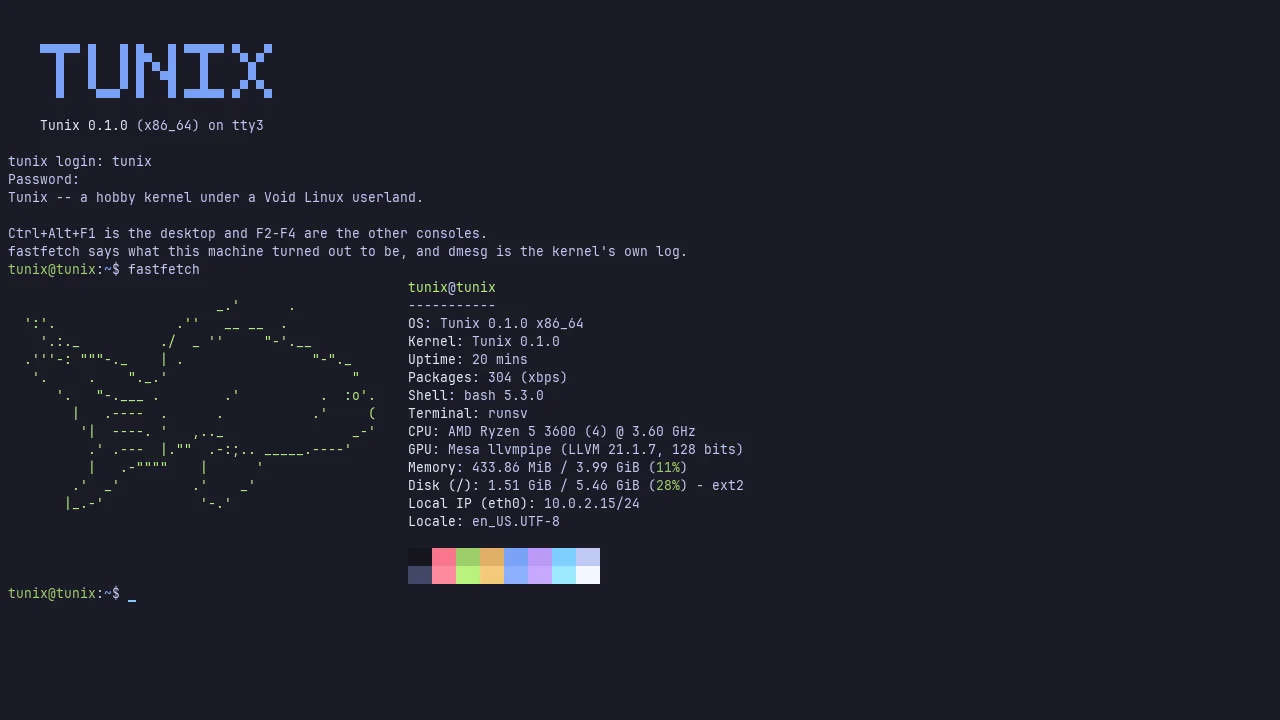
It builds itself
Tunix compiles Tunix. Clone the repository inside the running system, run
make kernel, and the kernel that comes out boots the desktop. make all
goes further and builds the whole disk image too, without a loop device, since
every filesystem is built inside a plain file.
Ten things stood in the way, and each was a place where Tunix answered a
system call differently than Linux does. getcwd(NULL, 0) returned a pointer
instead of a length, so every build opened with make: getcwd: Success.
pselect6 ignored its signal mask, so make -j4 slept forever with three
finished compilers behind it as zombies. Nothing else in the userland had
asked those questions yet.
Limits, mostly gone
A lot of the work has been removing fixed numbers. Physical memory, processes,
file descriptors, sockets, block devices and USB hosts used to have hard caps;
now they are bounded by the machine or by setrlimit. Paths went from 256
bytes to 4096, processors from 8 to 256, and the one big kernel lock became a
lock per subsystem.
There is an ARM port
The same portable kernel builds for AArch64 and boots on QEMU's virt
machine. It mounts an ext3 root from NVMe and runs an unmodified Void aarch64
userland up to a login prompt.
Running it
make          # kernel, sysroot and image
make run      # boot it
The first build downloads a Void rootfs and about 600 MiB of packages, and the
sysroot has to be built as root on a filesystem that can store ownership and
the setuid bit. It boots into Weston. Ctrl+Alt+F2 drops to a text console where
you can log in as tunix / tunix or root / tunix.
What is next
Packet capture with tcpdump, a real desktop on top of Weston or Xorg, a page
cache with a budget and then swap, and ext4 read support. The docs/ folder in
the repo goes deeper on all of it.